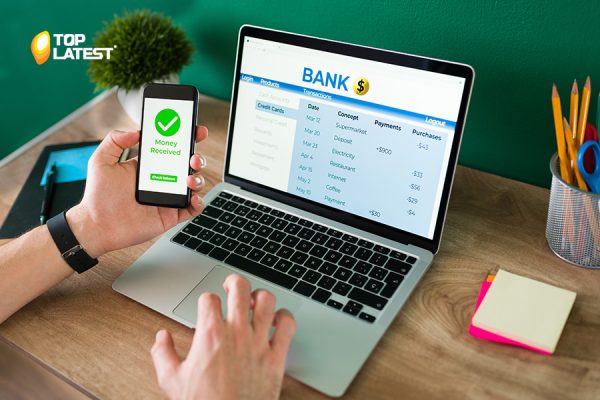
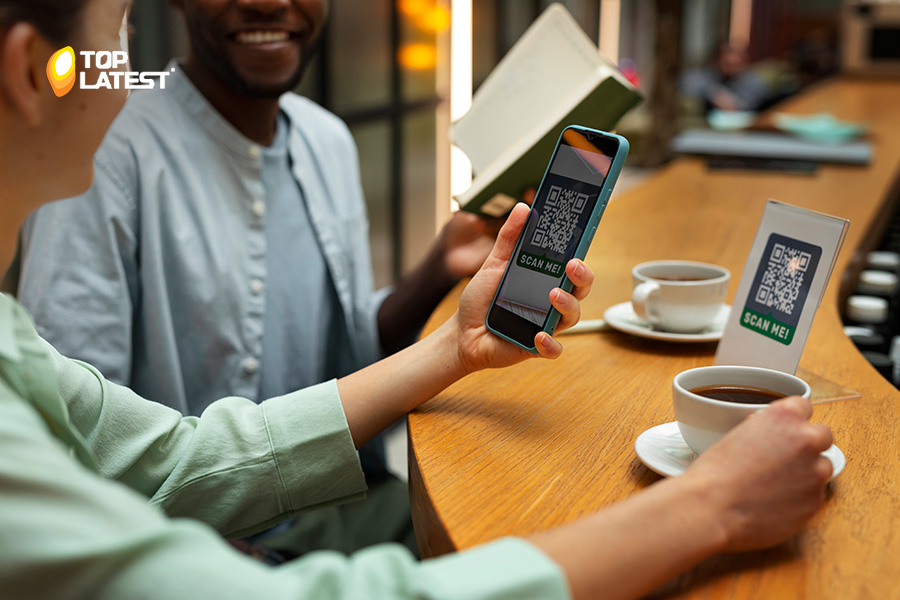
Walk into a café in Dubai Marina, a hypermarket in Sharjah, or a petrol station on the road to Fujairah, and you will see more people tapping phones than handing over cards. Paying with your phone in the UAE has become an everyday habit, and the choice of tools has grown well beyond a single digital wallet.
This guide explains the four main ways to make mobile payments in the UAE: Apple Pay, Google Pay, Samsung Pay (now part of Samsung Wallet), and Aani, the national instant payments platform. You will see what each one does best, how to set it up in a few minutes, and how to match the right method to everyday moments, from the weekly grocery run to splitting household bills with flatmates.
How Mobile Payments in the UAE Work Behind the Screen
Two different systems sit behind your screen, and knowing which one you are using explains almost everything about speed, fees, rewards, and refunds.
The first is the card-based wallet. Apple Pay, Google Pay, and Samsung Wallet store a secure digital version of your existing Visa or Mastercard debit or credit card. When you tap your phone on a terminal, the payment travels over the same card network a plastic card would use. That means the cashback, air miles, and purchase protections attached to your card generally stay in place, because the wallet is simply a smarter way of presenting that card.
The second is account-to-account payment. Aani moves money directly from one UAE bank account to another, in dirhams, without a card network in the middle. Instead of an IBAN, you identify the recipient with a mobile number, email address, Emirates ID, or QR code.
Seen this way, the four options work less like rivals and more like tools for different jobs. Card wallets are built for paying merchants at the till and online. Aani is built for moving money between people and paying businesses straight from your account.
Apple Pay in the UAE
Apple Pay launched in the UAE in October 2017 with six partner banks: Emirates NBD, Mashreq, HSBC, RAKBANK, Standard Chartered, and Emirates Islamic. Bank support has widened considerably since then, so the simplest way to confirm eligibility today is to look for the Apple Pay option inside your bank’s app.
Setting Up Apple Pay
Open the Wallet app on your iPhone, tap the plus icon, and either scan your card with the camera or add it directly from your banking app. Your bank verifies the card, usually with a one-time password, and it is ready within minutes. The same card can be added to an Apple Watch, which many residents find convenient at the gym or the beach.
Where Apple Pay Works Best
Apple Pay works at any terminal showing the contactless symbol, which now covers supermarkets, malls, restaurants, pharmacies, and a wide range of taxis across the seven emirates. Online, many UAE shopping and food delivery apps offer it at checkout, saving you from typing card details on a small screen.
Security is one of its strongest qualities. According to Apple, your actual card number is not stored on the device or on Apple’s servers. A unique device account number is used instead, and every purchase is approved with Face ID, Touch ID, or your passcode.
Google Pay in the UAE
Google Pay arrived in the UAE in November 2018 with four launch partners: Emirates NBD, Emirates Islamic, Mashreq, and Standard Chartered. Bank support has grown steadily since, and it is now a familiar option for Android users across the country.
Google Pay relies on NFC, the short-range radio chip that lets your phone talk to a payment terminal. Most mid-range and flagship Android phones sold in the UAE include NFC, and you can confirm it in your phone’s connection settings in a few seconds.
Setting Up Google Pay
Open the Google Wallet app, which is where your Google Pay cards live, and add your card by scanning it or entering the details. After your bank verifies it, set Google Wallet as your default contactless payment app in your NFC settings. To pay, unlock your phone and hold it near the terminal.
Why Android Users Choose It
Google Pay works across many Android brands, so changing phones does not mean changing your payment habits. It also appears at checkout in a growing number of Android apps and in the Chrome browser, which keeps online shopping quick and consistent.
Samsung Pay, Now Part of Samsung Wallet, in the UAE
Samsung Pay launched in the UAE in April 2017, making the country the service’s first market in the region. In November 2022, Samsung Gulf Electronics moved the service under the Samsung Wallet name. The payment experience continues as before, now sitting alongside digital keys, loyalty cards, and other everyday items in one app.
What Makes Samsung Wallet Distinct
Samsung’s payment service originally combined NFC with Magnetic Secure Transmission, a technology that imitates the magnetic stripe swipe of a physical card. That gave early users the ability to pay at older terminals that did not support contactless. Today, with contactless acceptance close to universal at UAE tills, NFC does most of the work.
Payments are protected by Samsung Knox, the company’s device security platform, along with fingerprint, face, or PIN authentication. A quick swipe up from the bottom of the screen opens your cards, and compatible Galaxy Watch models let you pay from your wrist.
Aani: The UAE’s National Instant Payments Platform
Aani is the newest and fastest-growing way to pay with your phone in the UAE. It is operated by Al Etihad Payments, a subsidiary of the Central Bank of the UAE, and launched in October 2023.
Adoption has moved quickly. The latest Aani results from Al Etihad Payments show more than 12.5 million registered users, 74 connected licensed financial institutions, and around 774,000 merchants using the platform. Transfers grew sixfold year on year, roughly 25,000 transfers are made daily using only a mobile number, and payments settle in about three seconds on average. These figures date from April 2026 and update regularly, so current totals are likely higher.
What You Can Do With Aani
- Send money using a mobile number, email address, or Emirates ID, with no IBAN required.
- Pay merchants by scanning a QR code at the counter or online.
- Use Request to Pay to ask a friend for money, or approve a payment request from a business.
- Split a bill by sharing a QR code with the people you are paying with.
- Manage accounts from different banks and wallets in a single app.
The official Aani service page confirms that transfers of up to AED 50,000 are supported, around the clock, every day of the year. Fees are set by each participating bank or provider rather than by Aani itself, so your bank’s published fee schedule is the reference point. Aani currently handles domestic transfers between UAE accounts in dirhams.
Getting Started With Aani
You can enrol in two ways. Many banks, including FAB, Mashreq, and Emirates Islamic, offer an Aani section inside their mobile apps, usually under payments or transfers. Alternatively, download the Aani app, verify your mobile number with a one-time password, and select your bank. The number you use needs to match the one registered with your bank, and both the sender and recipient need to be enrolled for mobile number transfers to work.
Matching Each Payment Method to Everyday UAE Moments
Here is how residents commonly use each option:
- Groceries, fuel, dining, and shopping: a card wallet such as Apple Pay, Google Pay, or Samsung Wallet keeps checkout fast and preserves your card rewards.
- Online shopping and food delivery: Apple Pay or Google Pay at checkout removes the need to store card details with every merchant.
- Sharing household costs: if you share an apartment, Aani’s Request to Pay makes collecting each person’s share of rent or utility bills simple once the tenancy is in place. Our guide to Ejari registration for tenants and landlords explains the tenancy side of that process.
- Paying a home cleaner, tutor, or technician: Aani lets you send funds with a mobile number, with no bank details to exchange.
- Smaller shops and independent cafés: look for an Aani QR code at the counter, as more businesses adopt account-to-account payments.
If you have recently arrived, opening a local bank account comes first, since every option here links back to one. Our first-year guide for expats moving to the UAE covers banking alongside the other essentials of settling in.
Considerations for a Smooth Mobile Payment Experience
A few simple habits make paying with your phone in the UAE effortless.
- Confirm the recipient’s name before sending on Aani. Transfers complete in seconds, so a brief check on the confirmation screen keeps every payment accurate.
- Review your wallet settings in your banking app. Banks set their own transaction and contactless limits, and most let you adjust or pause digital cards instantly.
- Keep your phone secure and updated. A strong screen lock and current software protect your wallet as much as your messages. Our practical guide to cybersecurity for UAE families covers device protection for the whole household.
- Plan for long days out. A charged phone is your wallet, so a compact power bank or a backup card is useful for desert trips and weekend drives.
- Check your rewards terms. Wallet purchases usually earn the same benefits as the underlying card, but category rules vary by bank.
Banks are also making setup easier. Many now use digital assistants in their apps to guide customers through adding cards and enrolling in Aani, a trend explored in our article on how AI is transforming customer service across UAE banks and telecoms.
Where Phone Payments in the UAE Are Heading
The direction is clear and encouraging. Al Etihad Payments has announced plans to add cross-border payments, electronic direct debit, digital cheques, and business-to-business payments to Aani. It also runs Jaywan, the UAE’s national card scheme, which reflects a long-term national investment in homegrown payment infrastructure.
For residents, this points to a future where your phone handles almost every payment, from a morning coffee to a monthly service charge, with less reliance on cash, cheques, or IBAN-based transfers.
Making Your Phone Your Everyday Wallet in the UAE
Paying with your phone in the UAE is simple once you see the bigger picture. Apple Pay, Google Pay, and Samsung Wallet turn your existing cards into fast, secure tap-to-pay tools that keep your rewards working. Aani adds something different: instant, account-to-account transfers that make paying friends, flatmates, and local businesses as easy as sending a message.
Most residents end up using both systems side by side, choosing whichever fits the moment. Set up the wallet that matches your phone, enrol in Aani through your bank, and you will be ready for nearly every payment situation across the seven emirates. For more practical guides to living, renting, and investing in the UAE, explore more on toplatest.ae.
Sources
- Al Etihad Payments, a subsidiary of the Central Bank of the UAE: Aani results announcement (April 2026) and Aani service information
- Central Bank of the UAE: national payment systems framework governing Aani and licensed financial institutions
- Apple: Apple Pay UAE launch announcement (October 2017) and Apple Pay security and privacy overview
- Google: Google Pay UAE launch announcement (November 2018)
- Samsung Gulf Electronics: Samsung Pay UAE launch announcement (April 2017) and Samsung Wallet UAE announcement (November 2022)
Frequently Asked Questions
You can pay with your phone at almost any UAE merchant that accepts contactless cards, including supermarkets, malls, restaurants, pharmacies, fuel stations, and many taxis. Apple Pay, Google Pay, and Samsung Wallet work wherever the contactless symbol appears on the terminal. Aani payments work with merchants that display an Aani QR code or send a Request to Pay. Online, many UAE shopping and delivery apps support digital wallets at checkout, making your phone a dependable everyday payment method.
Yes, Apple Pay is considered one of the most secure ways to pay in the UAE. Your actual card number is never stored on your iPhone or on Apple’s servers. Instead, a unique device account number is used for each card, and every payment needs Face ID, Touch ID, or your passcode. If your phone is misplaced, you can suspend cards remotely through Find My or by contacting your bank, which keeps your money protected while you recover the device.
Aani is the UAE’s national instant payments platform, operated by Al Etihad Payments, a subsidiary of the Central Bank of the UAE. It moves dirhams directly between UAE bank accounts in seconds, at any time of day. Instead of entering an IBAN, you send money using the recipient’s mobile number, email address, Emirates ID, or a QR code. You can enrol through your bank’s mobile app or the Aani app, and transfers of up to AED 50,000 are supported.
Aani itself does not set consumer fees. According to Al Etihad Payments, charges are decided by each participating bank or licensed payment provider, so the cost depends on where your account is held. Several banks offer personal Aani transfers free of charge, while others may apply a small fee for certain transaction types. The most reliable approach is to check your bank’s published schedule of charges or the Aani section of its mobile app before making regular transfers.
In most cases, yes. Apple Pay, Google Pay, and Samsung Wallet process payments through your existing Visa or Mastercard, so purchases usually earn the same cashback, points, or air miles as tapping the physical card. Category rules and promotional terms are set by your bank, so it is worth reviewing your card’s rewards terms. Aani transfers move money directly from your bank account, so they typically do not earn credit card rewards or count toward card spending targets.